Amazon Product Video Guidelines: Structured Content QA Template
A practical QA framework for validating Amazon product videos, including SKU accuracy, product claims, asset permissions, technical specifications, and JSON Schema.
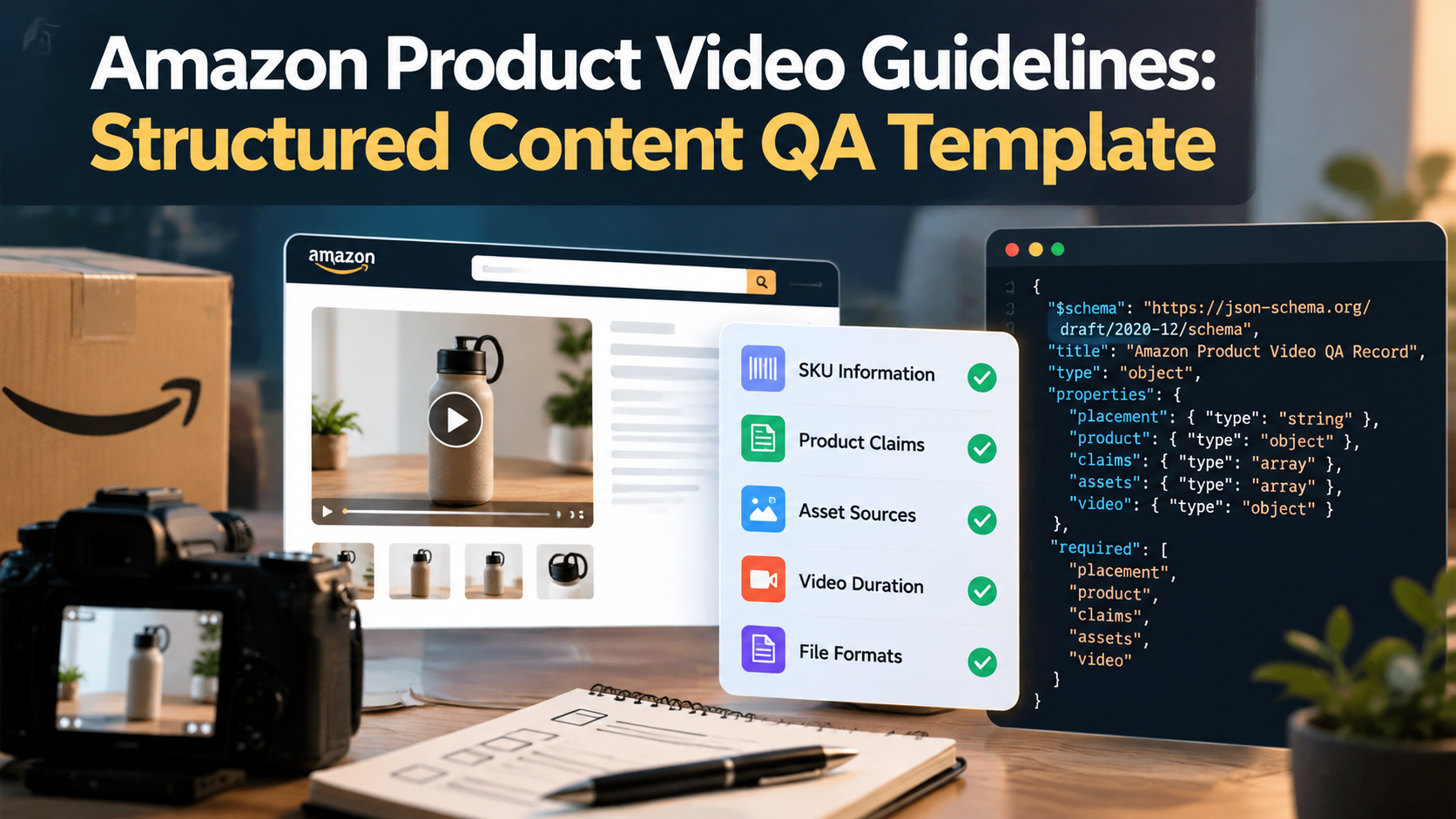
Amazon Product Video Guidelines: Structured Content QA Template
A reliable Amazon product video workflow begins with a placement-specific QA record, while product video ad hooks and testing should follow checks on product identity, claims, and source assets.
For developers building ecommerce content pipelines, the challenge is making sure every exported video represents the correct SKU, uses approved product information, and meets the requirements of its intended Amazon placement. These checks become harder when a team manages multiple product variations or uses AI to generate scenes, narration, and promotional assets.
The solution is to treat each video as a structured data object rather than an isolated media file. A QA record can connect product information, claim evidence, asset permissions, export metadata, and human approval. JSON Schema can validate much of that record automatically, although it cannot determine whether a product claim is truthful or whether a generated scene accurately represents the real item.
Why Amazon Video Placement Must Be Part of the Schema
Amazon product-detail-page videos and Sponsored Brands videos serve different purposes and have different technical requirements. Sponsored Products video introduces another set of constraints. A single export preset should not be assumed to work across all three.
Amazon's official Shoppable Video Guide describes videos displayed alongside product images on detail pages. The Sponsored Brands video specifications and Sponsored Products video guide document separate advertising formats.
The following comparison summarizes the published requirements. Confirm the latest specifications in Seller Central or Ads Console before exporting, because account availability and placement options can change.
| Validation field | Product-detail-page video | Sponsored Products video | Sponsored Brands video |
|---|---|---|---|
| Primary purpose | Demonstrate the product and explain its features | Show product features, benefits, or usage | Communicate a product or brand message |
| Duration | 1–12 minutes | At least 7 seconds; no upper limit stated in the cited guide | 6–45 seconds; 20 seconds or less recommended |
| File formats | MP4 or MOV | MP4 or MOV | MP4 or MOV |
| Maximum file size | 5 GB | 500 MB | 500 MB |
| Resolution | Up to 1080p | 1920 × 1080 recommended for horizontal video | 1280 × 720, 1920 × 1080, or 3840 × 2160 |
| Aspect ratio | Horizontal 16:9 or vertical 9:16 | Horizontal 16:9; vertical 9:16 is identified in the guide as a 2026 rollout | 16:9 only |
| Audio | Follow the applicable listing requirements | Audio is removed from uploaded videos | Supported; playback starts muted by default |
These distinctions affect both content design and automated validation. A 90-second demonstration may fit the product-detail-page duration range but exceed the Sponsored Brands maximum. A narrated Sponsored Products video may upload successfully, but Amazon states that its audio will be removed.
The schema should therefore identify the destination before applying any technical constraints. A video that passes validation for one placement should not automatically receive approval for another.
Five Fields Every Product Video QA Record Needs
1. SKU, ASIN, and product variation
The SKU identifies the seller's inventory item; the ASIN identifies the Amazon catalog product. Store both where applicable, along with the marketplace and the specific variation being demonstrated.
This prevents errors such as showing a black product in a video intended for a white variation, displaying accessories that are not included in a particular bundle, or using outdated packaging.
The record should reference an approved product-data source or version. Before generation, the pipeline should confirm that the selected SKU, ASIN, variation, and source images agree. The same comparison should happen again after rendering, when AI-generated visuals may have introduced differences.
2. Claims and supporting evidence
Record every material product claim, its supporting evidence, and its review status. Claims include specifications, performance statements, compatibility assertions, and messages conveyed through narration, captions, or visuals.
The Federal Trade Commission's advertising guidance explains the need for adequate support for advertising claims, including implied claims.
For example, a video might show a product operating underwater without explicitly describing it as waterproof. The visual can still communicate a performance claim. Reviewing only the script would miss that implication.
A useful claim record contains the exact wording, evidence reference, approval status, and reviewer information. AI-generated text or visuals should not be treated as evidence simply because they look convincing.
3. Source assets and permissions
Every source asset should have a traceable identifier and origin. This includes product photographs, packaging images, logos, footage, music, and generated assets derived from reference material.
Store the source URI, asset identifier, and rights status. A working URL does not establish commercial usage permission, and an approved licence does not establish that the image depicts the correct product variation.
For generated content, retain the approved reference images used to produce the scene. Reviewers can then compare the output against the actual product, paying attention to packaging text, proportions, labels, accessories, and other details that image generation may alter.
4. Duration and audio properties
Store duration as an integer representing seconds. This makes it straightforward to apply placement-specific minimums and maximums without parsing free-form values such as 1 minute 30 seconds.
Audio should be recorded separately from duration. Sponsored Products videos have their audio removed by Amazon, so teams should not assume narration will reach viewers in that placement. Sponsored Brands videos support audio but begin muted, making the visual message important even when a soundtrack is present.
A duration check establishes technical eligibility, not creative quality. The content still needs a separate review to determine whether the product and its intended message are clear.
5. File format and export properties
Record the actual file format, byte size, width, height, aspect ratio, and audio state. Add codec, frame rate, bitrate, and other properties when required by the destination.
Inspect the exported media rather than relying on the filename or generation settings. Renaming a file to .mp4, for example, does not convert its underlying encoding.
The pipeline should compare measured file properties against the requirements for the selected placement. It should also verify that the video content matches the product record, since technically valid media can still be inaccurate or misleading.
A Practical JSON Schema for Automated QA
JSON Schema Draft 2020-12 provides keywords for describing object properties, required fields, data types, allowed values, and conditional constraints. The official object reference explains how properties, required, and additionalProperties work.
The following example defines a validation record with placement-specific duration and file-size limits. It is a starting point rather than a complete implementation of Amazon's policies.
{
  "$schema": "https://json-schema.org/draft/2020-12/schema",
  "title": "Amazon Product Video QA Record",
  "type": "object",
  "additionalProperties": false,
  "required": [
    "placement",
    "product",
    "claims",
    "assets",
    "video"
  ],
  "properties": {
    "placement": {
      "enum": [
        "shoppable_listing",
        "sponsored_products_video",
        "sponsored_brands_video"
      ]
    },
    "product": {
      "type": "object",
      "required": [
        "sku",
        "asin",
        "variant",
        "marketplace"
      ],
      "properties": {
        "sku": {
          "type": "string",
          "minLength": 1
        },
        "asin": {
          "type": "string",
          "pattern": "^[A-Z0-9]{10}$"
        },
        "variant": {
          "type": "string",
          "minLength": 1
        },
        "marketplace": {
          "type": "string",
          "minLength": 1
        },
        "product_data_version": {
          "type": "string"
        }
      },
      "additionalProperties": false
    },
    "claims": {
      "type": "array",
      "items": {
        "type": "object",
        "required": [
          "text",
          "evidence_uri",
          "review_status"
        ],
        "properties": {
          "text": {
            "type": "string",
            "minLength": 1
          },
          "evidence_uri": {
            "type": "string",
            "format": "uri"
          },
          "review_status": {
            "enum": [
              "pending",
              "approved",
              "rejected"
            ]
          }
        },
        "additionalProperties": false
      }
    },
    "assets": {
      "type": "array",
      "minItems": 1,
      "items": {
        "type": "object",
        "required": [
          "asset_id",
          "source_uri",
          "rights_status"
        ],
        "properties": {
          "asset_id": {
            "type": "string",
            "minLength": 1
          },
          "source_uri": {
            "type": "string",
            "format": "uri"
          },
          "rights_status": {
            "enum": [
              "pending",
              "approved",
              "denied"
            ]
          }
        },
        "additionalProperties": false
      }
    },
    "video": {
      "type": "object",
      "required": [
        "duration_seconds",
        "file_format",
        "file_size_bytes",
        "width_px",
        "height_px",
        "aspect_ratio",
        "audio_present"
      ],
      "properties": {
        "duration_seconds": {
          "type": "integer",
          "minimum": 1
        },
        "file_format": {
          "enum": [".mp4", ".mov"]
        },
        "file_size_bytes": {
          "type": "integer",
          "minimum": 1
        },
        "width_px": {
          "type": "integer",
          "minimum": 1
        },
        "height_px": {
          "type": "integer",
          "minimum": 1
        },
        "aspect_ratio": {
          "enum": ["16:9", "9:16"]
        },
        "audio_present": {
          "type": "boolean"
        }
      },
      "additionalProperties": false
    }
  },
  "allOf": [
    {
      "if": {
        "properties": {
          "placement": {
            "const": "shoppable_listing"
          }
        },
        "required": ["placement"]
      },
      "then": {
        "properties": {
          "video": {
            "properties": {
              "duration_seconds": {
                "minimum": 60,
                "maximum": 720
              },
              "file_size_bytes": {
                "maximum": 5368709120
              }
            }
          }
        }
      }
    },
    {
      "if": {
        "properties": {
          "placement": {
            "const": "sponsored_products_video"
          }
        },
        "required": ["placement"]
      },
      "then": {
        "properties": {
          "video": {
            "properties": {
              "duration_seconds": {
                "minimum": 7
              },
              "file_size_bytes": {
                "maximum": 524288000
              }
            }
          }
        }
      }
    },
    {
      "if": {
        "properties": {
          "placement": {
            "const": "sponsored_brands_video"
          }
        },
        "required": ["placement"]
      },
      "then": {
        "properties": {
          "video": {
            "properties": {
              "duration_seconds": {
                "minimum": 6,
                "maximum": 45
              },
              "file_size_bytes": {
                "maximum": 524288000
              },
              "aspect_ratio": {
                "const": "16:9"
              }
            }
          }
        }
      }
    }
  ]
}
The conditional rules apply the published duration and file-size constraints to the selected placement. The schema also requires core product, claim, asset, and video metadata while rejecting undeclared fields within the defined objects.
Two limitations deserve attention. First, the format: "uri" keyword is not guaranteed to reject malformed URI values in every validator. Under Draft 2020-12, format annotation is required, while format assertion is optional unless configured through the appropriate vocabulary. Configure the validator accordingly and perform any additional URI checks in application code.
Second, the schema cannot establish whether an evidence document supports a claim, whether asset permissions are genuine, or whether the measured dimensions match the declared aspect ratio. Those checks require separate validation logic.
Keep Syntactic Validation Separate from Business Approval
A JSON Schema validator answers a narrow question: does this record conform to the defined structure and constraints? It does not decide whether the video is accurate, legally supportable, or ready for publication.
Consider a hypothetical product-detail-page video for a black reusable mug. The record may contain a valid SKU, a ten-character ASIN, an approved source image, and a 72-second MP4 file. Its duration and file size may satisfy the selected placement's constraints, but the claim evidence could still be pending.
The appropriate result is schema-valid, awaiting review, not approved for upload.
A production pipeline should keep these decisions separate. Structural validation checks required fields, types, enumerations, and placement limits. Media inspection checks the actual file. Content review compares the video with the approved product references and verifies the meaning of its claims. A designated reviewer or authorized approval process makes the final business decision.
This separation also helps when requirements change. A team can update placement rules without treating a technically valid record as proof that the creative has passed its content review.
Run QA Before Generation, After Rendering, and Before Upload
Before generation, confirm that the SKU, ASIN, variation, approved references, claim evidence, and asset permissions are available. Missing product facts should trigger a request for clarification rather than be filled in by a generation model.
After rendering, inspect the actual media. Compare the product's appearance, package contents, labels, accessories, visible text, and implied claims with the approved references. Measure duration, encoding, dimensions, file size, and audio properties directly from the exported file.
Immediately before upload, confirm the destination placement, marketplace, associated ASIN, current platform requirements, and approval status. Store the file version and QA decision so that the team can trace which export was reviewed.
Internal workflow states such as draft, metadata_validated, creative_review, approved, and rejected can make these transitions explicit. These are proposed application states, not Amazon-defined statuses. The approved state should only be assigned after the required technical and content checks have passed.
Prevent the Failures That Automated Checks Cannot Catch
A common failure is reusing a video for a different variation without reviewing the visible product details. Another is validating the script while overlooking a misleading claim implied by generated visuals. Both happen when a production pipeline treats the media file as the complete deliverable and ignores the evidence behind it.
A third failure is using one export preset for every Amazon placement. The same video may be technically suitable for a listing but exceed the Sponsored Brands duration limit, use an unsupported aspect ratio, or carry audio that will be removed in Sponsored Products.
Finally, successful upload should not be treated as proof of factual accuracy. Platform acceptance and business approval are separate decisions, and neither removes the need to ensure that product information and advertising claims are supported.
Make the QA Record the Source of Truth
A maintainable Amazon product video workflow records product identity, claim evidence, asset permissions, and placement-specific export requirements before production begins.
JSON Schema provides the structural foundation. Media inspection verifies the exported file, and a separate review process determines whether the content accurately represents the product and meets the team's approval requirements.
The result is a traceable process in which each video has a defined destination, a verifiable product record, documented source assets, and an explicit approval decision. That is the foundation for scaling product video production without confusing technical compliance with content accuracy.
About the author
- I'm a digital content enthusiast passionate about technology, innovation, and emerging digital trends. I enjoy exploring new ideas, sharing practical insights, and creating informative content that helps readers learn and stay updated in an ever-evolving digital world.
Comments
Join the discussionNo comments yet. Be the first to comment.